Transferring digital assets between web3 wallet and a centralized exchange is a straightforward process within the Bitkub ecosystem. Whether you are moving funds to your KUB Wallet for long-term storage or back to Bitkub Exchange for trading, success depends on selecting the correct network and understanding how tokens are converted.
This guide offers clear, step-by-step instructions to ensure your USDT transfers are completed securely and efficiently on the KUB Chain.
How to transfer KUSDT from KUB Wallet to Bitkub Exchange
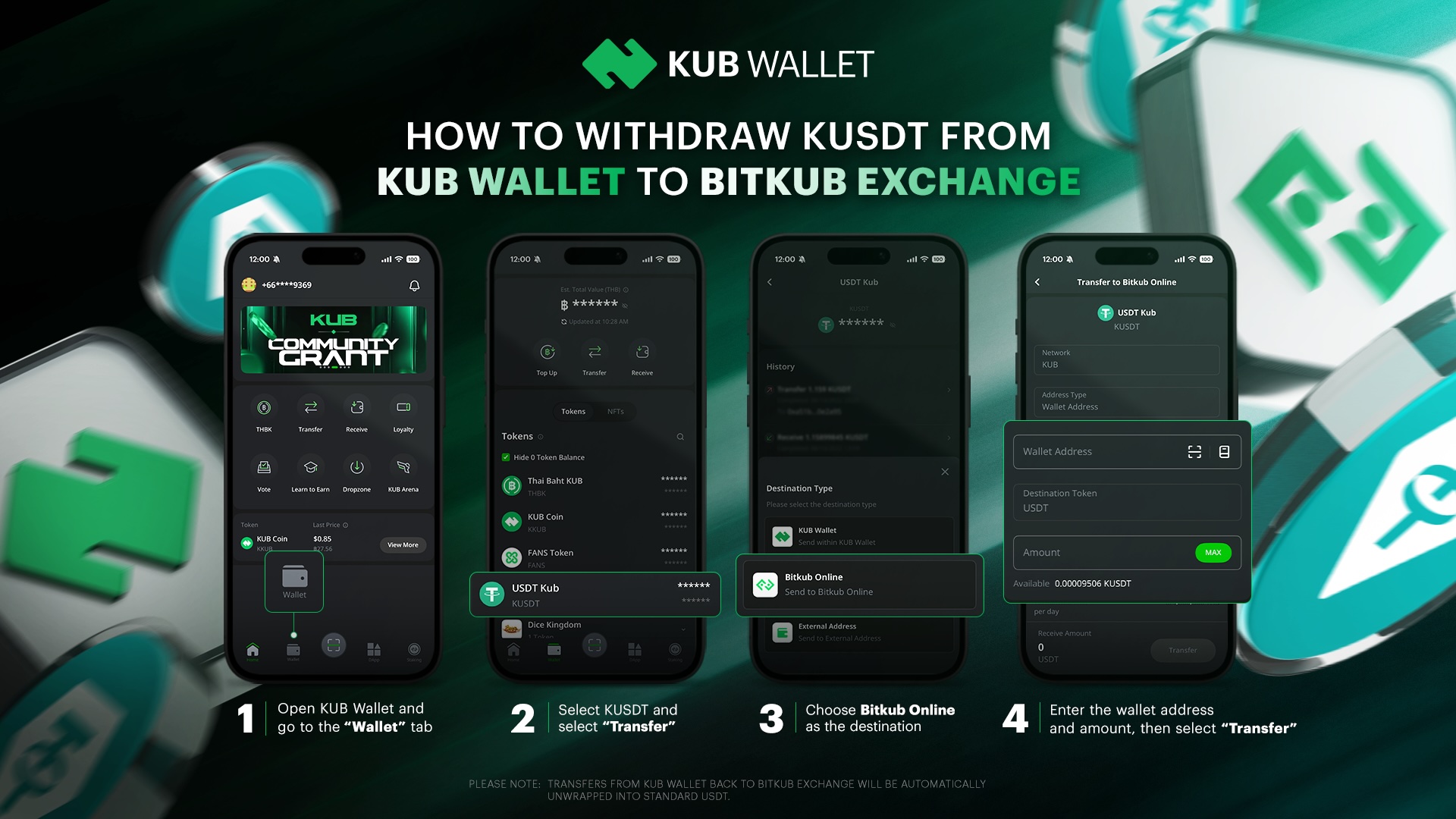
Access KUB Wallet and select the “Wallet” tab.
Select the KUSDT token, then choose “Transfer.”
Select Bitkub Online as the destination.
Fill in the required information, such as your Bitkub Exchange wallet address and transfer amount, then click “Transfer.”
Please note:
Transfers from KUB Wallet back to Bitkub Exchange will be automatically unwrapped into standard USDT.
A gas fee of 0.01 KKUB will be charged, so please ensure you have enough KKUB in your KUB Wallet. (Transaction fees apply when making transactions or transfers. Free transfer limits reset daily at 00:00 GMT+7.)
How to withdraw USDT from Bitkub Exchange to KUB Wallet
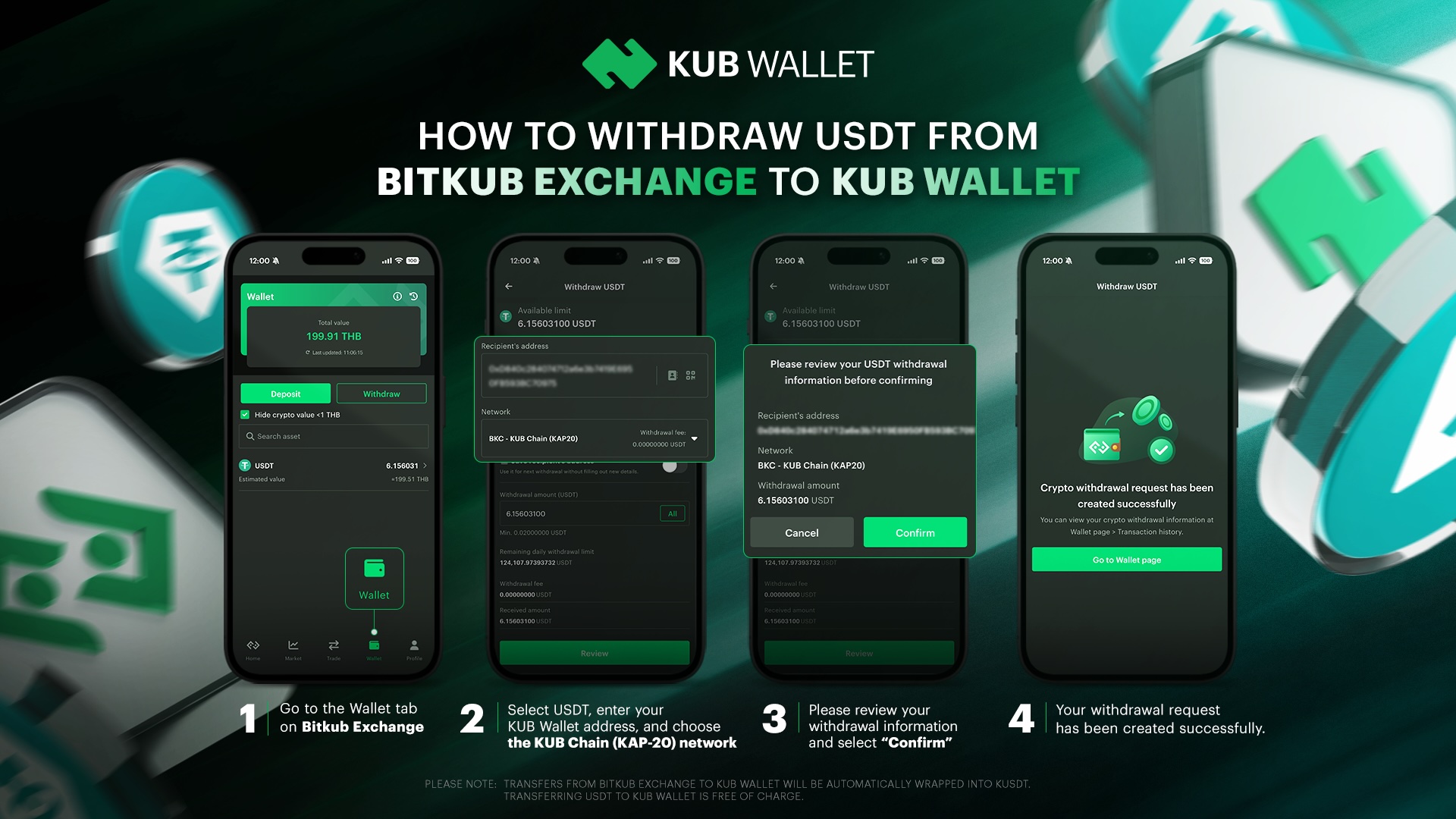
Go to the Wallet tab on Bitkub Exchange.
Select USDT, then enter your KUB Wallet address and make sure the network is set to KUB Chain (KAP-20). Withdrawals via KUB Chain are free of charge.
Review your withdrawal details carefully, then select “Confirm” to proceed.
Your withdrawal request has been submitted successfully.
Please note:
Transfers from Bitkub Exchange to KUB Wallet will be automatically wrapped into KUSDT.
Transferring USDT from Bitkub Exchange to KUB Wallet is free of charge.